
Sometimes, after installing Assembly Copier, Autodesk Inventor may block the add-in and prevent it from loading.
To enable Assembly Copier:
- Open Autodesk Inventor.
- Go to Tools → Add-Ins to open the Add-In Manager.
- Find Assembly Copier in the list.
- Select the following checkboxes:
- Load Automatically
- Loaded/Unloaded
- Close the Add-In Manager.
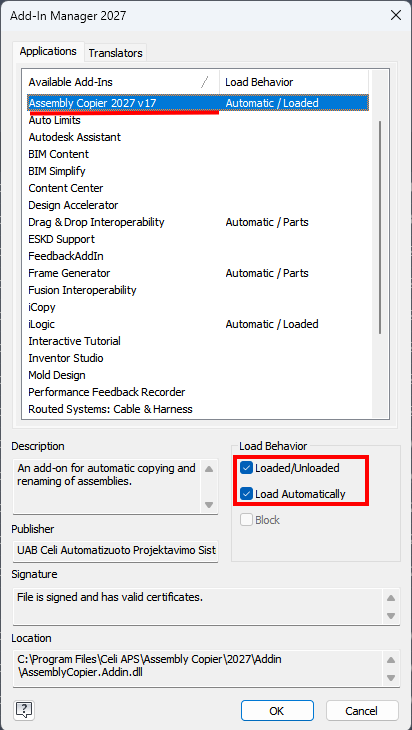
Assembly Copier should now be enabled and available in Autodesk Inventor.