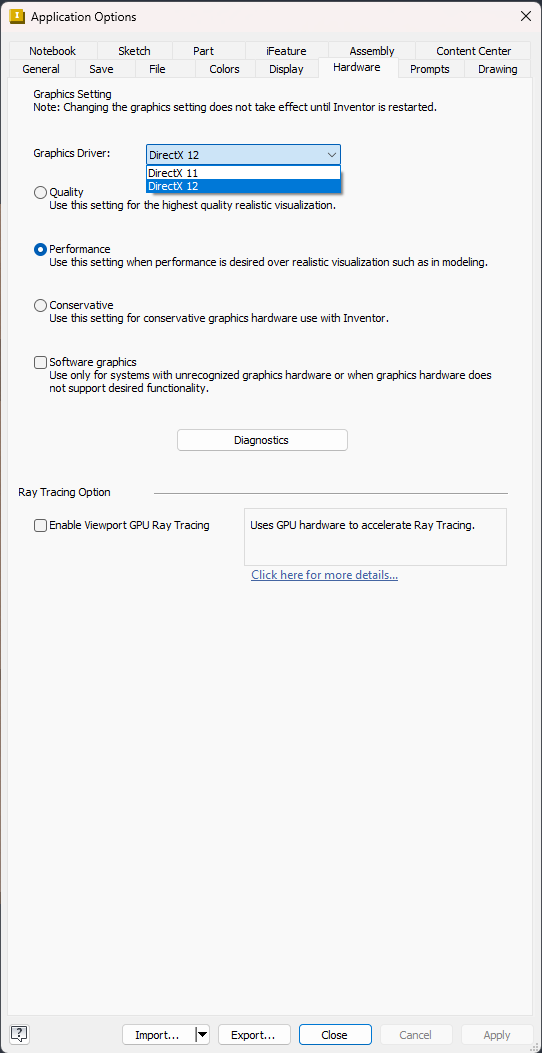
To switch Autodesk Inventor 2027 from DirectX 12 to DirectX 11
- Open Autodesk Inventor.
- Go to Tools.
- Click Application Options.
- Open the Hardware tab.
- In the Graphics Driver drop-down list, change DirectX 12 to DirectX 11.
- Click OK to save the change.
- Close Inventor completely.
- Start Inventor again for the change to take effect.