Assembly Copier is now available as a standalone application. This provides greater flexibility, allowing users to launch the software either directly from Autodesk Inventor or independently from the Windows Start menu.
To download Assembly Copier, visit the official website:
https://assemblycopier.com/?application=AssemblyCopier&language=en&page=homePage
The installation process is straightforward. Download the installer and follow the steps displayed in the installation wizard.
After the installation is complete, Assembly Copier can be launched in two ways:
1. The first option is to open the assembly you want to copy in Autodesk Inventor and start Assembly Copier from the Inventor top menu. This method is convenient when you are already working with the required assembly.
2. The second option is to launch Assembly Copier as a standalone application from the Windows Start menu. You can then select the required assembly directly within the application.
Both methods provide access to the same Assembly Copier functionality, allowing you to choose the workflow that is most convenient for your current task.
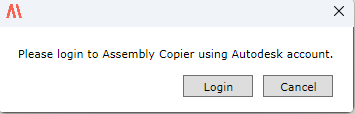
When Assembly Copier is launched for the first time, the application prompts you to sign in with your Autodesk account. Follow the on-screen instructions to complete the authorization process. After you have successfully signed in, you can start using Assembly Copier.